
Stop Testing Your Pages One by One: Meet PageScan for WordPress
Bulk-test every published page and post against Google PageSpeed Insights — right from your WordPress dashboard.
The Problem: Performance Testing Doesn't Scale
If you’ve ever run a site through Google PageSpeed Insights, you know the drill: paste a URL, wait, read the report, then do it again for the next page. For a five-page brochure site that’s mildly annoying. For a content-heavy blog, a WooCommerce catalog, or a multi-author publication with hundreds of URLs, it’s simply not realistic to test manually.
The result is that most site owners only ever check their homepage — while the blog posts, product pages, and archive templates that make up the bulk of their traffic go untested until something breaks.
Meet PageScan
PageScan – Bulk Performance Testing with Google PageSpeed Insights is a free WordPress plugin that automatically discovers your published URLs — posts, pages, custom post types, the homepage, and archive pages — and runs them through the official Google PageSpeed Insights API in the background. No spreadsheets, no manual copy-pasting, no browser tabs left open overnight.
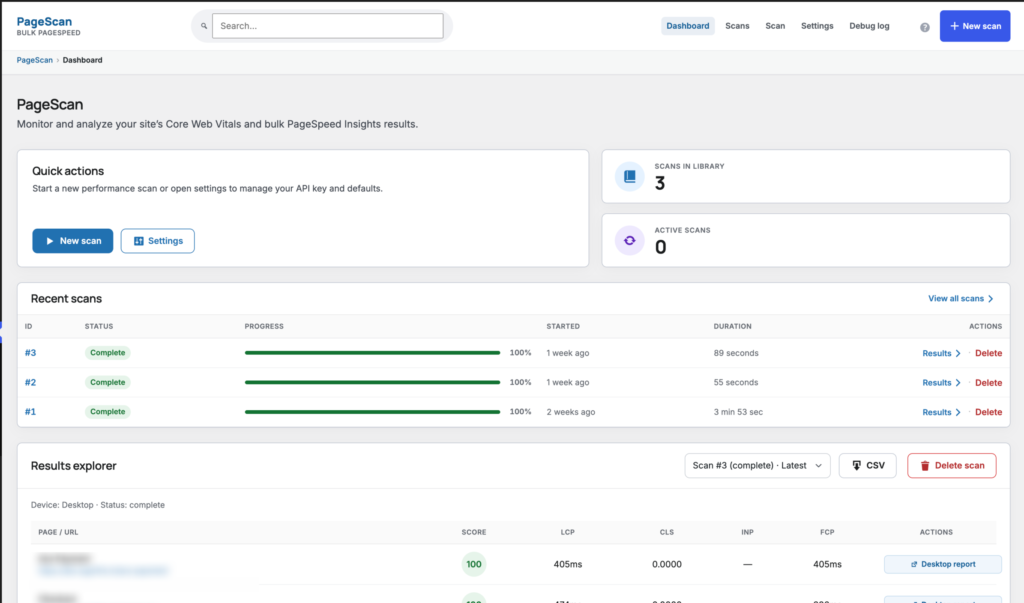
Once a scan finishes, you get a dashboard of Lighthouse-style scores, Core Web Vitals, and prioritized improvement opportunities for every single URL, sorted and ready to act on.
What You Get
- Automatic URL discovery across public post types, the homepage, and archive pages
- Background job queue with WP-Cron fallback so bulk scans don't block your site
- Sortable dashboard with median scores and per-URL detail views
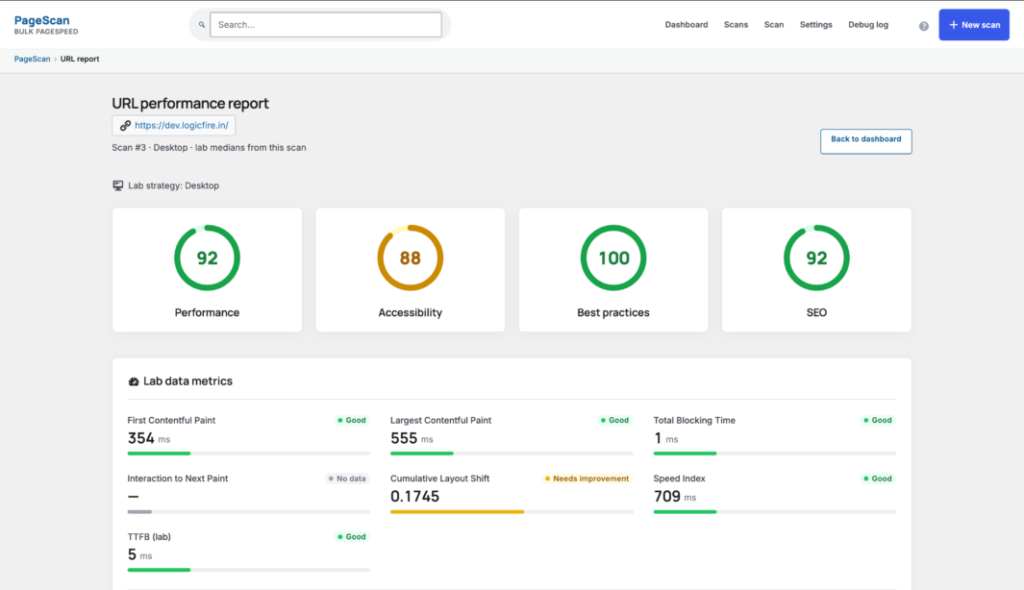
- Lighthouse-style performance, accessibility, best-practices, and SEO scores
- Core Web Vitals and lab metrics for every scanned page
- CSV export for reporting or sharing with clients and teams
- Optional email alerts when a page's score drops below your threshold
- One-click test button right inside the block editor sidebar
- Choice of mobile, desktop, or both device strategies per scan
Test a Page Without Leaving the Editor
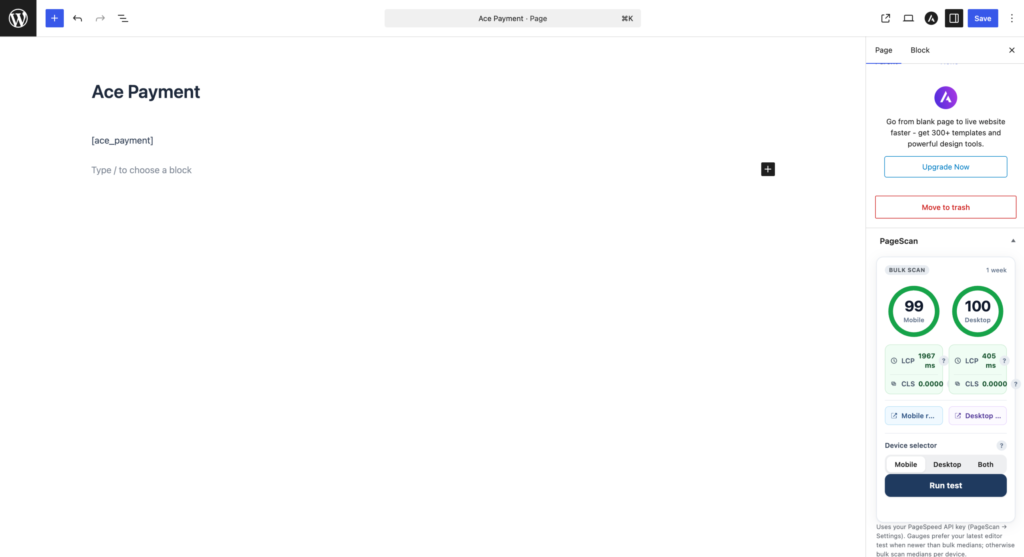
Publishing an update and want a quick sanity check? PageScan adds a panel directly to the block editor sidebar showing mobile and desktop scores plus Core Web Vitals for the post you’re currently editing, with a one-click Run Test button. No need to jump to a separate tool or tab.
How It Works
- Install & activate the plugin from the WordPress Plugins screen, or upload the ZIP manually.
- Add your API key. Go to PageScan → Settings and paste in a free Google PageSpeed Insights API key from Google Cloud Console.
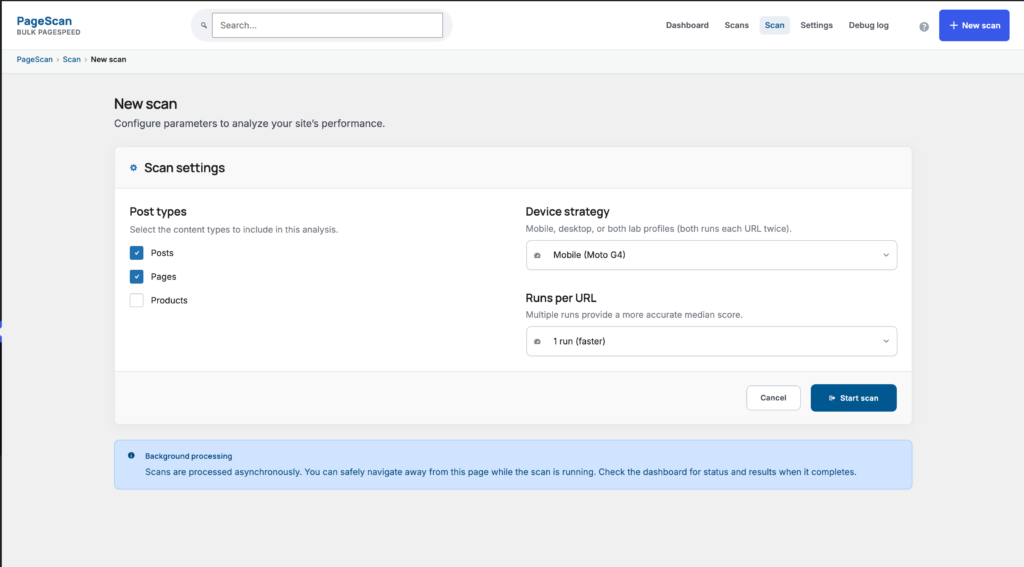
- Start a scan. Head to PageScan → New Scan, choose your post types, device strategy (mobile, desktop, or both), and how many runs per URL you want.
- Review the results. Watch scores populate in the dashboard, drill into any URL for detailed metrics and opportunities, then export to CSV or set up score-drop alerts.
Frequently Asked Questions
Do I need a Google API key?
Yes. It’s free to create in the Google Cloud Console — just enable the PageSpeed Insights API and paste the key into PageScan’s settings.
Will bulk scans slow down my site?
No. Scans run through a background job queue with a WP-Cron fallback, so testing dozens or hundreds of URLs doesn’t block your site or your visitors.
Does it require WooCommerce?
No, WooCommerce is not required. PageScan works with any public post type.
Do email alerts rely on a third-party mailer?
No. Score-drop alerts are sent using WordPress’s built-in wp_mail() function to whatever address you configure.
Ready to See Where You Actually Stand?
Stop guessing which pages are slow. Install PageScan and get a full performance picture of your site in one background scan.
PageScan is not affiliated with, endorsed by, or sponsored by Google.