
Wishlist & Registry for WooCommerce: Turn Browsers Into Buyers
Let customers save products, build gift registries, and share their lists — all without leaving your store.
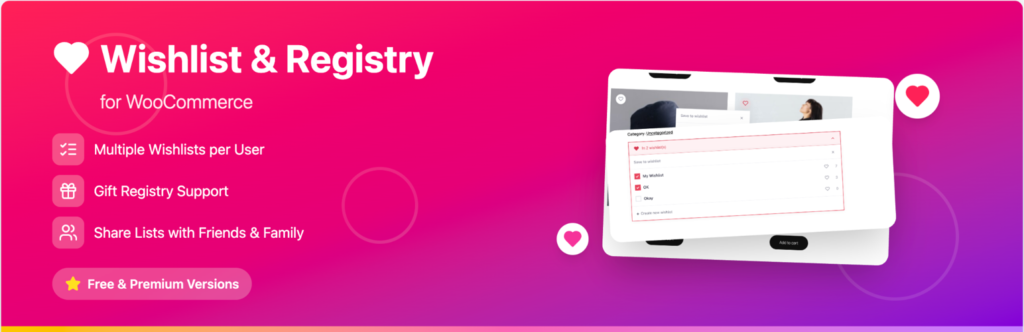
Why You Need a WooCommerce Wishlist Plugin
Most shoppers don’t buy on their first visit. Instead, they browse, compare, and leave — often for good. As a result, a wishlist plugin gives them an easy way to save the products they’re eyeing so they can come back later, ready to purchase, rather than forgetting about your store entirely.
- Capture buying intent before it disappears
- Increase repeat visits to your store
- Improve conversion rates over time
- Encourage social sharing of your products
Key Features of This WooCommerce Wishlist Plugin
Create and Manage Wishlists Easily
For example, customers can add products straight from shop pages, category pages, search results, and product pages — with no learning curve required.
Multiple Wishlists
In addition, shoppers can keep separate wishlists for different purposes, such as personal shopping, gift ideas, or seasonal collections.
Guest Wishlist Support
Furthermore, guests can build a wishlist without creating an account first. Consequently, this cuts friction and makes the plugin easier to use.
Add to Cart from Wishlist
Then, items move from wishlist to cart in a single click, so shoppers can go from browsing to buying in seconds.
Built-In Gift Registry Functionality
Unlike most basic wishlist plugins, however, this one includes complete gift registry functionality out of the box.
- Create event-based registries (weddings, birthdays, and more)
- Track required and purchased quantities
- Show fulfillment progress at a glance
- Convert an existing wishlist into a registry instantly
Sharing and Privacy Controls
Customers can share wishlists via link, email, or social media, which in turn brings new visitors into your store. At the same time, privacy settings give them full control — public, private, or shared access — so they can invite specific people and manage individual permissions.
Seamless WooCommerce Integration
Overall, the plugin fits naturally into your existing store design.
- Wishlist button on product cards
- Flexible placement on product pages
- Shortcodes for custom placement anywhere
- Full My Account integration
Customization Options
Similarly, you can match the plugin to your brand with customizable colors, icons, button styles, and layout options. For advanced control, you can also add custom CSS to fine-tune the look and feel.
Email Notifications
Meanwhile, built-in notifications keep customers engaged automatically:
- Wishlist shared alerts
- Item purchased notifications
- Back-in-stock alerts
Upgrade to Pro for Advanced Features
For stores that are serious about gifting and registries, the Pro version adds several powerful tools:
- Item claiming to prevent duplicate purchases
- Claim expiry controls
- Ship items directly to the registry owner
- Advanced analytics dashboard
- Purchase tracking and insights
SEO Benefits of Using a Wishlist Plugin
Beyond the shopping experience, a wishlist plugin can also improve your store’s SEO performance by strengthening the engagement signals search engines pay attention to. Specifically:
- Longer session duration
- Lower bounce rate
- More returning visitors
Give Your Customers a Better Shopping Experience
In short, Wishlist & Registry for WooCommerce helps you increase conversions and customer retention while making shopping easier for your customers. Therefore, it’s a smart addition to any WooCommerce store.